
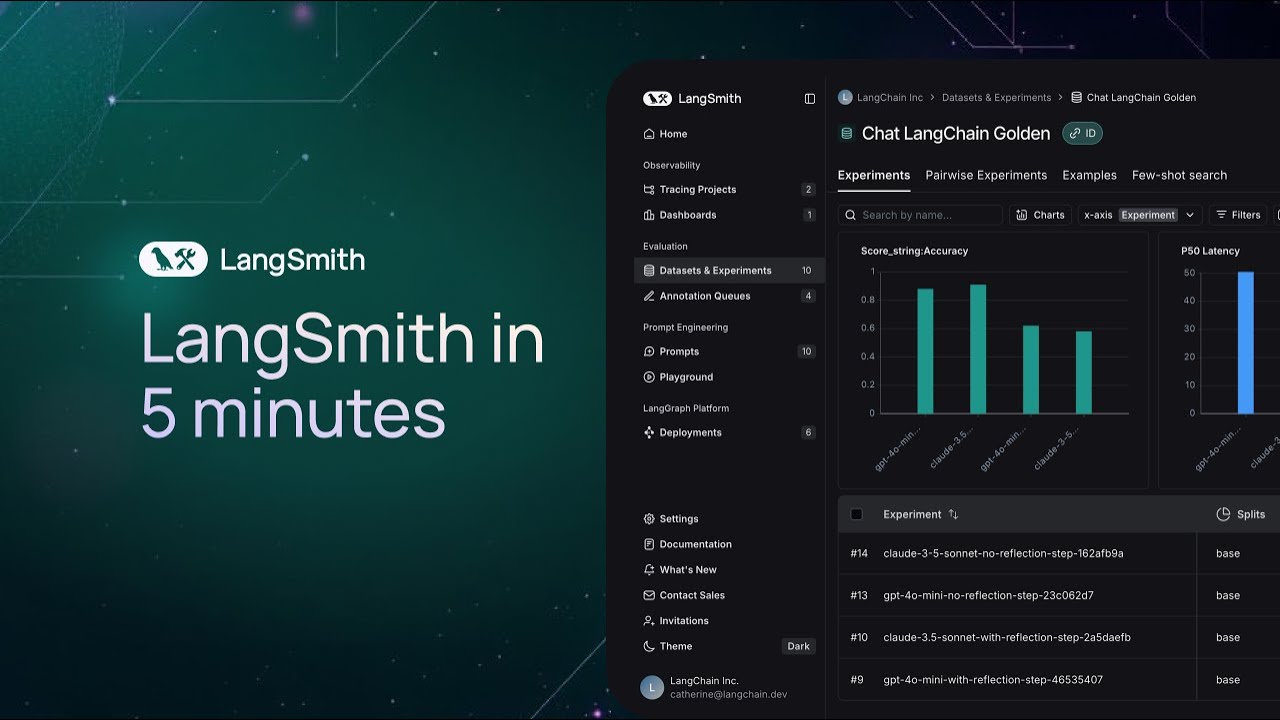
Introduction to Debugging LLM Chains with LangSmith
In the rapidly evolving field of artificial intelligence, Large Language Models (LLMs) have become a cornerstone for many applications, ranging from chatbots to complex data analysis. However, as with any sophisticated system, debugging these models can be a daunting task. This is where LangSmith comes into play. By the end of this guide, you will have a comprehensive understanding of how to use LangSmith to debug your LLM chains effectively, ensuring smoother operations and more accurate outcomes.
Understanding LangSmith and Its Importance
LangSmith is a powerful tool designed to help developers and AI enthusiasts debug and optimize their LLM chains. It provides a suite of features that allow you to monitor, analyze, and improve the performance of your language models. Whether you are dealing with simple text generation or complex decision-making processes, LangSmith can help you identify bottlenecks and inefficiencies in your LLM chains.
Why Debugging LLM Chains is Crucial
Debugging LLM chains is essential for several reasons:
- Accuracy: Ensures that the output of your models is as accurate as possible.
- Efficiency: Helps in optimizing the performance, reducing computational costs.
- Reliability: Increases the reliability of your applications by minimizing errors.
- Scalability: Prepares your models for scaling up to handle larger datasets and more complex queries.
Getting Started with LangSmith
To begin using LangSmith, you need to set up your environment and familiarize yourself with its interface. Follow these steps to get started:
Step 1: Setting Up Your Environment
Before you can start debugging, ensure that you have the necessary tools and libraries installed. Here’s a quick checklist:
- Install Python 3.7 or higher.
- Ensure you have pip, the Python package installer, ready.
- Install LangSmith using pip:
pip install langsmithStep 2: Familiarizing with the LangSmith Interface
LangSmith offers a user-friendly interface that allows you to interact with your LLM chains seamlessly. Here’s a brief overview of the main components:
- Dashboard: Provides an overview of your projects, recent activities, and performance metrics.
- Chain Editor: Allows you to create and modify your LLM chains with ease.
- Debug Console: A powerful tool for testing and debugging your models in real-time.
- Documentation: Comprehensive guides and tutorials to help you make the most of LangSmith.
Step-by-Step Guide to Debugging LLM Chains
Now that you have set up LangSmith, let’s dive into the step-by-step process of debugging your LLM chains.
Step 1: Identify the Problem Areas
The first step in debugging is to identify where your LLM chain is failing or underperforming. This can be done by:
- Reviewing the logs and error messages in the Debug Console.
- Analyzing the performance metrics on the Dashboard.
- Using the Chain Editor to simulate different scenarios and observe outcomes.
Step 2: Analyze the Data Flow
Understanding how data flows through your LLM chain is crucial. Use LangSmith’s visualization tools to map out the data flow and identify potential bottlenecks or inefficiencies.
Step 3: Test and Modify Components
Once you have identified the problem areas, the next step is to test individual components of your LLM chain. This can involve:
- Running unit tests to check the functionality of specific components.
- Using the Debug Console to simulate inputs and observe outputs.
- Modifying parameters and configurations to optimize performance.
Step 4: Implement and Monitor Changes
After testing and making necessary modifications, implement the changes in your LLM chain. Use LangSmith’s monitoring tools to track the performance and ensure that the changes have resolved the issues.
Real-World Examples of Using LangSmith
To illustrate the effectiveness of LangSmith, let’s explore a few real-world examples:
Example 1: Improving Chatbot Responses
A company using an LLM-based chatbot noticed that the responses were often irrelevant to user queries. By using LangSmith, they were able to identify that the language model was not properly trained on the specific domain vocabulary. After retraining the model and adjusting the LLM chain, the chatbot’s relevance improved significantly.
Example 2: Optimizing Data Processing Pipelines
An AI-driven data analytics firm used LangSmith to optimize their data processing pipelines. They discovered that certain components were causing delays due to inefficient data handling. By reconfiguring these components and optimizing the data flow, they reduced processing time by 30%.
Key Takeaways
Using LangSmith to debug your LLM chains can significantly enhance the performance and reliability of your AI applications. By following the steps outlined in this guide, you can identify and resolve issues efficiently, leading to more accurate and scalable models. Whether you are working on improving chatbot interactions or optimizing data processing, LangSmith provides the tools you need to succeed.